Introduction
The sed command is widely used in daily development and operations as a tool to streamline text processing. Deleting lines, in particular, is a frequent task in log formatting and data preprocessing. However, for beginners, the syntax and behavior can often be confusing.
In this article, we will provide a thorough explanation of how to delete lines with sed using simple examples, while also highlighting common pitfalls.
Reference: FreeBSD Manual Pages - sed
How the Command Works: Deleting Specific Lines
The command we are using this time is:
sed '2d' input.txtThis command means "delete the second line." In sed, you can delete a specific line by using the format Line Number + d.
| Element | Meaning |
|---|---|
| 2 | Target line number |
| d | The delete command |
In other words, only the second line will be excluded from the output.
State Before Execution
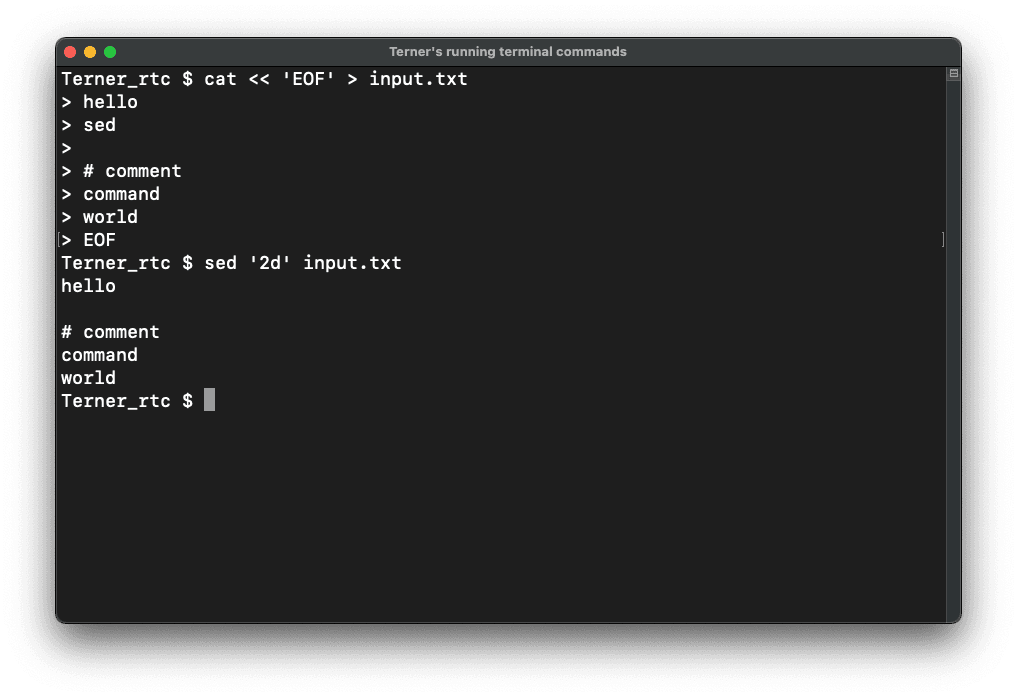
First, let's create a target file.
cat << 'EOF' > input.txt
hello
sed

# comment
command
world
EOF
The contents of input.txt are as follows:
hello
sed

# comment
command
world
State After Execution
Now, run the command:
sed '2d' input.txtThe output is:
hello

# comment
command
world
As you can see, "sed," which was on the second line of input.txt, has been deleted.
Execution image
Differences Between GNU sed and BSD sed
There are several differences between BSD sed (commonly used on macOS) and GNU sed (common on Linux). In-place editing is a particularly important point to note.
| Item | BSD sed | GNU sed |
|---|---|---|
| -i Option | Extension is mandatory | Extension is optional |
| Example | sed -i '' '2d' file | sed -i '2d' file |
In BSD sed, you must specify an empty string ('') if you do not want a backup extension.
Deleting Multiple Lines
To delete a range of lines, use range specification.
sed '2,3d' input.txt| Syntax | Meaning |
|---|---|
| 2,3 | From line 2 to line 3 |
| d | Delete the specified range |
This deletes lines 2 and 3 together.
Deleting Lines by Search Pattern
Here is how to delete lines containing a specific string:
sed '/world/d' input.txt| Syntax | Meaning |
|---|---|
| /world/ | Lines containing "world" |
| d | Delete matching lines |
Deleting Lines Other Than the Search Pattern
Use this when you want to keep only specific lines.
sed '/world/!d' input.txt| Syntax | Meaning |
|---|---|
| /world/ | Lines containing "world" |
| ! | Negate the condition |
| d | Delete everything else |
Deleting Comment Lines
To delete comment lines (lines starting with #), use the following:
sed '/^#/d' input.txt| Syntax | 意味 |
|---|---|
| ^# | Lines starting with # |
| d | Delete matching lines |
Deleting Empty Lines
Here is how to delete blank lines:
sed '/^$/d' input.txt| Syntax | Meaning |
|---|---|
| ^$ | Empty lines |
| d | Delete matching lines |
Writing Directly to a File
To actually overwrite the file, use the -i option:
sed -i '' '2d' input.txt| Syntax | Meaning |
|---|---|
| -i '' | Edit file in-place (BSD format) |
| 2d | Delete the second line |
Quick Reference (Use Cases)
Example 1: Delete the 3rd line
Example 1: Delete the 3rd line
cat << 'EOF' > sample.txt
a
b
c
d
EOF
sed '3d' sample.txtExample 2: Delete lines containing "error"
cat << 'EOF' > sample.txt
ok
error
ok
EOF
sed '/error/d' sample.txtExample 3: Delete only empty lines
cat << 'EOF' > sample.txt
a

b
EOF
sed '/^$/d' sample.txtCommon Pitfalls
Misconfiguring sed options can lead to unintended results or errors.
Example:
sed -i '2d' input.txtThis will result in an error in BSD sed because it expects an extension argument after -i.
Deletion Errors Due to Regex Mistakes
Consider the following case:
sed '/./d' input.txtThis will delete every line except completely empty ones. This is because the dot (.) represents "any single character."
Unexpected Deletion Due to Range Misunderstanding
sed '2,$d' input.txtThis deletes everything from the second line to the end of the file. The $ symbol represents the last line.
Summary: Key Points for Deleting Lines with sed
sed is a simple yet extremely powerful command. By mastering the use of line numbers versus search patterns, you can handle a wide variety of text processing tasks.
For beginners, focusing on these points will deepen your understanding:
- Understand the difference between line number specification and pattern specification.
- Be mindful of the differences between BSD sed and GNU sed.
- Practice by creating actual files and testing the commands.
With these points in mind, you will gain confidence in using sed effectively.